




A jewelry display cabinet does more than showcase products. It influences how customers view jewelry, compare designs, and make purchasing decisions. A well-planned counter also helps staff retrieve pieces efficiently and handle transactions securely, making its layout an important part of the retail experience.
Poor planning can lead to overcrowded displays, difficult product access, distracting glass reflections, and inconvenient locking systems. These issues can interrupt sales conversations, make comparisons harder, and create unnecessary challenges for staff. Every design decision should balance product visibility, customer comfort, operational efficiency, and security.
Planning an effective jewelry showcase counter starts with understanding how customers shop and staff sell. From selecting suitable display props and organizing counter zones to coordinating lighting, materials, and security features, each element should serve a clear purpose. The goal is a functional, secure, and visually appealing counter that supports smoother sales and better customer experiences.

Plan the counter around the details customers need to evaluate:
Place similar pieces close together so customers can compare them easily while staff assist with their choices.
Select jewelry display props to suit each item: necklace busts or T-bars for chains, ring trays for rings, display boards for earrings, and curved stands for bracelets. Choose props for visibility and access .
Give each counter area a clear focal product. Support it with similar designs, complementary pieces, or options at different price points. Keep the display uncluttered so customers can focus on the differences that matter.
Organize the counter into three functional areas:
These zones can be defined through display arrangements and staff positions without physical partitions.
Select jewelry store display cabinets based on store space and shopping flow:
Ensure staff can retrieve items and open doors, drawers, and trays without obstruction. Keep customer pathways clear and position the working area for easy interaction without disrupting browsing.

Keep Levels and Spacing Consistent
Group similar pieces at comparable heights and angles. Use display tiers without blocking other items, and leave enough space to see each piece clearly. Check visibility from the customer’s standing and close-viewing positions.
Keep Details and Labels Visible
Avoid props that hide gemstones, pendants, or design features. Keep price and product information readable, with consistent label placement so customers can compare similar pieces quickly.
Make Trays Easy to Handle
Use removable trays that let staff present several items together. Leave enough room to lift and return pieces without disturbing neighboring jewelry, and allow space to refill gaps after a sale.
Choose Displays for Function
When comparing jewelry display cases for sale, assess internal space, visibility, prop compatibility, and ease of access—not appearance alone. Match the configuration to jewelry sizes, quantities, and display goals.
Plan custom retail display cabinets around staff positions and daily tasks. Place locks, frequently used trays, packaging materials, and temporary storage within easy reach. Ensure doors and drawers open without obstructing movement.
Make individual pieces easy to retrieve and use removable trays for products customers want to compare together. This reduces unnecessary movement of neighboring jewelry and helps staff move smoothly between retrieving, presenting, returning, and securing items.
Plan space for replenishing sold items and returning products to their assigned positions. Consistent labels and reference photos can help staff restore the display accurately. Include opening, shift handover, and closing checks in daily routines to keep the counter organized and secure.
Choose Glass and Locks
Select glass display cases for jewelry based on item value, store risks, and security requirements. Consider door design, lock placement, and ease of daily access. Assess protection using actual product specifications.
Secure High-Value Pieces
Plan dedicated display and storage locations for valuable jewelry. Ensure staff can retrieve items safely and return them to secure storage after comparisons or before transactions are completed.
Keep Security Discreet
Coordinate glass, metal frames, locks, and cabinet structure to maintain clear product views. Consider alarms, cameras, or access controls where needed, and plan wiring before installation.
Follow Opening and Closing Checks
Establish routines for counting and storing jewelry, checking locks and drawers, managing keys or access permissions, and completing end-of-day security checks.
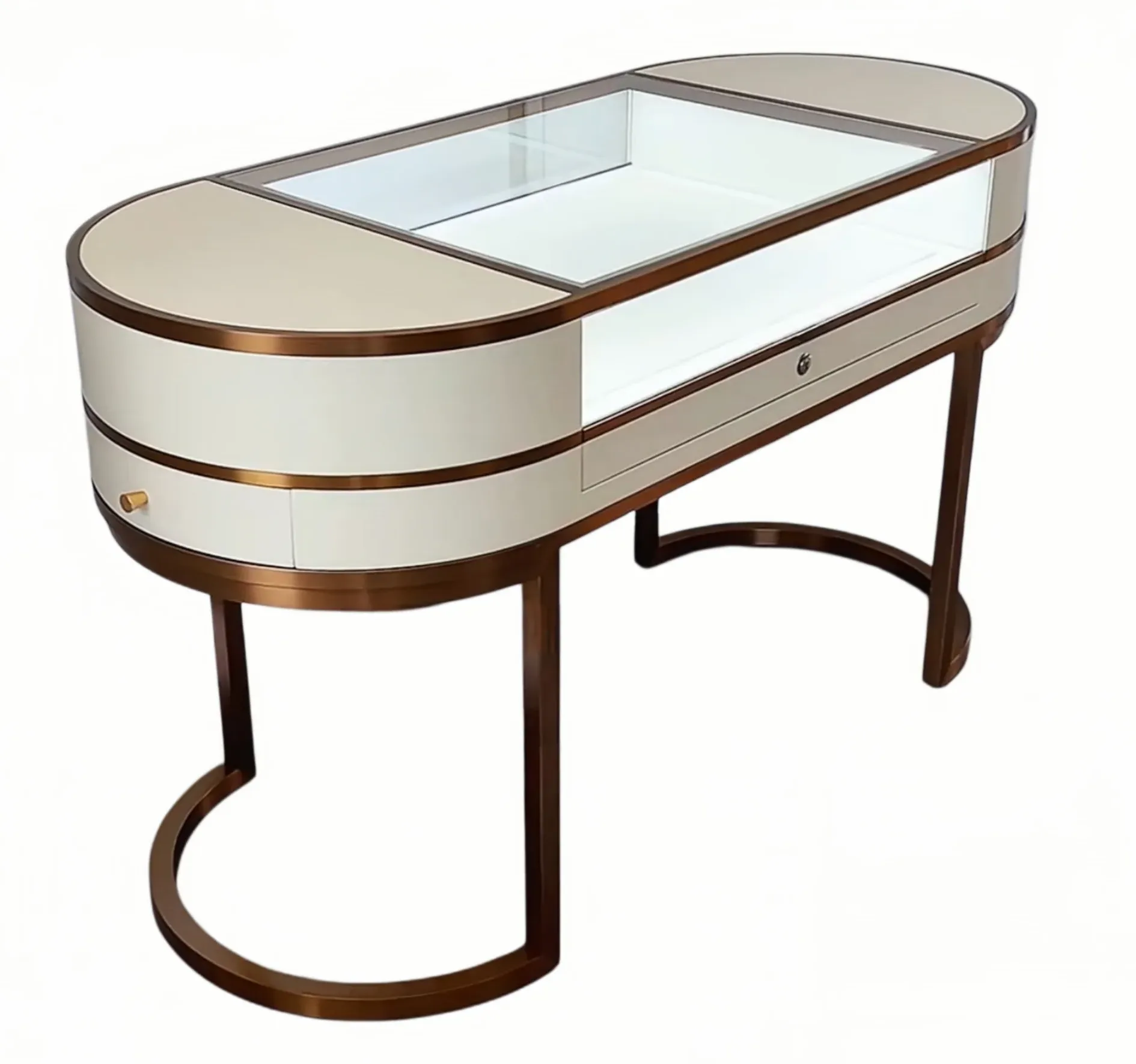
An effective jewelry showcase counter should help staff present products, allow customers to compare designs comfortably, and keep transactions secure. Start by defining sales needs, then plan the layout, display arrangements, staff workspace, and security features. Finally, coordinate lighting, materials, dimensions, and customization details. Each decision should support the actual retail workflow.
ZH Display specializes in high-end customized jewelry display cabinets and retail fixtures tailored to different store layouts and brand identities. To plan a counter around your sales process, share your store floor plan, jewelry types, counter dimensions, and security requirements. Contact ZH Display to discuss a customized display solution for your store.


